On this page
- The WhatsApp Business app, in brief
- The WhatsApp Business API, in brief
- 1. Many people on one number
- 2. Automation
- 3. Template messages
- 4. Scale with guardrails
- Side-by-side comparison
- What the API costs
- Signs you have outgrown the app
- What you need before moving to the API
- Migrating your existing number
- How different businesses use the API
- Quality rating and messaging limits, explained simply
- Choosing an inbox or CRM for the API
- Frequently asked questions
- Is the WhatsApp Business API free?
- Can I use the API without a developer?
- Will customers see a different number?
- Getting set up
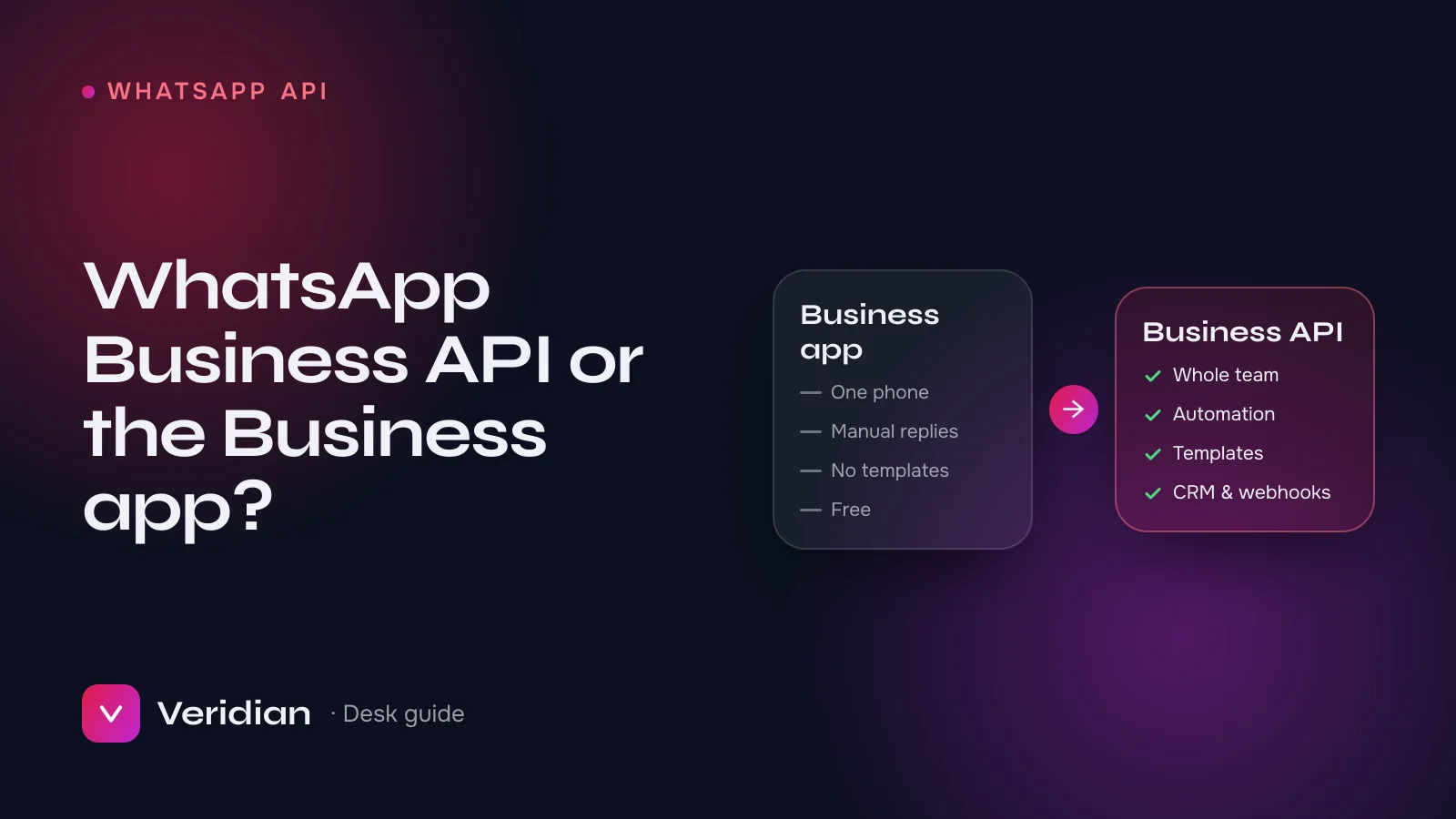
The WhatsApp Business app is a free app for a small team answering chats by hand on one phone; the WhatsApp Business API (Meta's Cloud API) connects a WhatsApp number to software so many agents, chatbots and systems can use it, and it lets you start conversations at scale with approved template messages. If more than one person answers your WhatsApp, or you send order and account updates automatically, you have outgrown the app. This guide compares the two in detail and explains how to move.
Key takeaways
- The app is for one phone and manual replies; the API is for software, teams and automation.
- Only the API can send pre-approved template messages to start conversations at scale.
- API messaging is billed by Meta per message, by country and category; the app is free.
- A number can move from the app to the API, but not live on both at once.
The WhatsApp Business app, in brief
The WhatsApp Business app is a free download for Android, iPhone and desktop. It adds business features to ordinary WhatsApp: a business profile, a product catalogue, labels, quick replies, and simple greeting and away messages. A small number of linked devices can share the account. For a shop or freelancer answering customers personally, it is often all that is needed.
The WhatsApp Business API, in brief
The WhatsApp Business Platform, which most businesses now use through Meta's hosted Cloud API, has no app of its own. Instead, your number is connected to software: a shared inbox, a CRM, a help desk, an e-commerce platform or your own system through webhooks. Meta's WhatsApp Cloud API documentation describes the platform in technical detail; in practical terms it unlocks four things the app cannot do.
1. Many people on one number
Conversations are routed to agents in a shared inbox, with assignment, internal notes and history, instead of living on one person's phone.
2. Automation
Chatbots, keyword replies, out-of-hours routing and integrations with your CRM or store, triggered by webhooks.
3. Template messages
Pre-approved messages that start a conversation outside the customer-service window: order confirmations, delivery updates, appointment reminders, one-time passcodes and opt-in marketing. Each template is classed as marketing, utility or authentication and reviewed by Meta.
4. Scale with guardrails
Business-initiated messaging is capped by a messaging limit that rises in tiers as your business is verified and your quality rating stays high.
Side-by-side comparison
| WhatsApp Business app | WhatsApp Business API | |
|---|---|---|
| Who uses it | One phone plus a few linked devices | Any number of agents through software |
| Automation | Greeting, away and quick replies | Chatbots, CRM, webhooks, routing |
| Starting conversations | Manually, with saved contacts | Approved templates, at scale |
| Broadcasts | Limited broadcast lists | Opt-in campaigns through templates |
| Integrations | Minimal | CRM, help desk, store, custom systems |
| Cost | Free | Meta's per-message pricing, by country and category |
| Setup | Download and register | Business Manager, WhatsApp Business Account, number registration, approvals |
What the API costs
Access to the Cloud API is free; messaging is charged by Meta. Meta's pricing depends on the recipient's country and the template category, and it has changed more than once in recent years, so always check Meta's current rate card rather than relying on a figure you read elsewhere. Replies inside an open customer-service window are treated differently from business-initiated templates. Any setup partner's fee should be separate from Meta's messaging charges; ours does not mark them up.
Signs you have outgrown the app
- More than one person needs to answer the same number, and you are passing a phone around.
- Customers expect automatic order, delivery or account updates.
- You want WhatsApp conversations inside your CRM or help desk, with history.
- You run click-to-WhatsApp ads and need replies tracked back to campaigns.
- You need one-time passcodes delivered reliably.
What you need before moving to the API
- A Meta Business Manager. Your WhatsApp Business Account lives inside it. A verified business is strongly recommended for display name approval and higher messaging limits.
- A phone number you own that can receive an SMS or voice call for registration.
- A display name that matches your business and follows Meta's naming guidelines.
- An inbox or integration for your team to work from.
- Consent practices that follow the WhatsApp Business Messaging Policy: customers must opt in before you message them.
Migrating your existing number
A number cannot be registered on the app and the API at the same time, but it can be migrated. Plan the switch for a quiet period, export anything you need from the app, and expect a short window while the number re-registers on the API. From the desk: the migrations that go wrong are almost always the unplanned ones, where someone deletes the app account before the API side is ready.
How different businesses use the API
| Business | Typical messages | Template category |
|---|---|---|
| Online store | Order confirmation, dispatch, delivery, returns | Utility |
| Clinic or salon | Booking confirmations, reminders, rescheduling | Utility |
| Fintech or app | Login codes, account alerts | Authentication, utility |
| Education | Enrolment updates, class reminders, course launches | Utility, marketing |
| Any brand with opt-ins | Offers, launches, back-in-stock | Marketing |
Quality rating and messaging limits, explained simply
Every API number has a quality rating based on how customers react to your messages, mainly blocks and reports. It sits alongside your messaging limit, which caps how many unique customers you can start conversations with in a rolling 24 hours. New numbers start at a modest limit. Meta raises it in tiers when your business is verified, your quality rating stays healthy and you are actually using your current limit. If quality falls, the limit can fall too.
The practical lesson is that growth on WhatsApp is earned through relevance. Message people who asked to hear from you, keep templates specific and useful, and avoid sending the same promotion to everyone at once.
Choosing an inbox or CRM for the API
Because the API has no app, the tool you connect it to becomes your team's day-to-day WhatsApp. When comparing options, check:
- Cloud API support and how it connects to your WhatsApp Business Account.
- Multi-agent features: assignment, internal notes, saved replies and working hours.
- Template management: creating, submitting and sending templates from the same tool.
- Integrations with your store, CRM or help desk, and webhooks for anything custom.
- Pricing: the tool's own subscription, which is separate from Meta's messaging charges.
From the desk: pick the tool your team will actually live in. A cheaper inbox that agents avoid ends up costing more in missed conversations than the subscription it saved.
Frequently asked questions
Is the WhatsApp Business API free?
Access is free; Meta charges for messages under its current pricing.
Can I use the API without a developer?
Yes, by connecting it to an inbox or CRM that supports the Cloud API, or with a setup partner. A developer is only needed for custom integrations.
Will customers see a different number?
Not if you migrate your existing number. They keep messaging the same number they already know.
Getting set up
Our WhatsApp Business API service sets up the WhatsApp Business Account inside your own Business Manager, registers and migrates your number, gets your display name and first templates approved, and connects everything to your tools. If your Business Manager is not yet verified, our verification service can run alongside it. Not sure which route fits? Ask a broker.
Notes from the brokers who source, inspect and hand over every asset on the ledger, and who prepare Meta business verifications, WhatsApp API launches and ad accounts for clients every week.