On this page
- Why tracking decides campaign performance
- What the Meta Pixel does
- Why the Pixel alone undercounts
- What the Conversions API does
- Pixel and Conversions API compared
- How deduplication works
- A tracking health check you can run today
- Privacy and compliance
- Three ways to set up the Conversions API
- Which events to send
- Improving event match quality
- Common setup mistakes
- Frequently asked questions
- Do I still need the Pixel if I use the Conversions API?
- Will the Conversions API improve my results immediately?
- Is the Conversions API hard to set up?
- Next steps
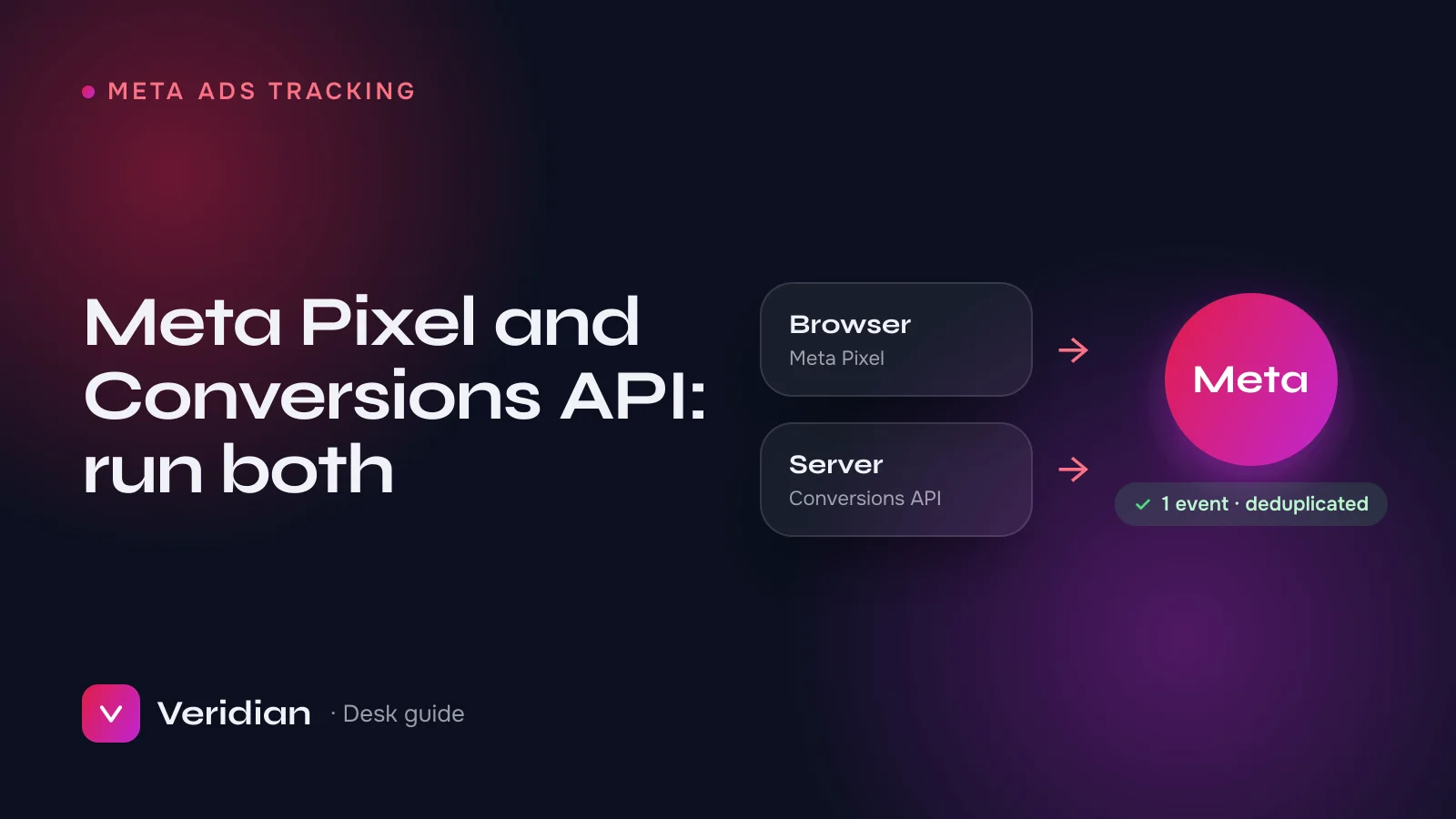
The Meta Pixel tracks conversions from the visitor's browser; the Conversions API (CAPI) sends the same conversions from your server. Run both, with deduplication, and Meta counts each conversion once while catching the ones browser tracking misses. Because Meta's delivery system optimises on the conversions you send it, fuller and cleaner data usually means more efficient spend. This guide explains each tool, how deduplication works, and how to check your own setup.
Key takeaways
- The Pixel is quick to install but loses events to ad blockers, privacy settings and early page exits.
- The Conversions API sends events server-side, so it captures many of the events the Pixel misses.
- Deduplication with a shared event_id stops Meta counting the same purchase twice.
- Fix tracking before changing budgets or creative: optimisation can only be as good as its data.
Why tracking decides campaign performance
Meta's ad delivery is a learning system. It looks at who converted, then finds more people like them. When conversions go unreported, the system learns from a partial picture: it underestimates what is working, exits the learning phase more slowly and spends less efficiently. That is why tracking is the first thing the desk checks in any account, before structure, creative or budget.
What the Meta Pixel does
The Meta Pixel is a JavaScript snippet that runs in the visitor's browser. When someone views a page, adds to cart or buys, the Pixel reports that event to Meta along with browser context. It is fast to install and works with almost every website platform. Its weakness is that it depends entirely on the browser cooperating.
Why the Pixel alone undercounts
- Ad and tracking blockers stop the script from loading at all.
- Browser privacy features limit cookies and shorten how long they last.
- Early exits: a buyer closes the thank-you page before the script fires.
- Slow pages and script errors that prevent events from being sent.
What the Conversions API does
The Conversions API sends events from your server, or your platform's server, directly to Meta. Because it does not rely on the browser, it records many events the Pixel misses, and it can include server-side details such as order value and hashed customer information that help Meta match the event to a person. Meta's Conversions API documentation covers the technical options; most store platforms now offer a built-in integration.
Pixel and Conversions API compared
| Meta Pixel | Conversions API | |
|---|---|---|
| Runs in | The visitor's browser | Your server or platform |
| Affected by ad blockers | Yes | No |
| Setup effort | Low | Low (platform integration) to medium (custom) |
| Best at | Browser context, quick start | Reliability, offline and server events |
| Recommended | Both together, with deduplication | |
How deduplication works
When the Pixel and the Conversions API both report the same purchase, Meta must recognise it as one purchase. That is deduplication. Each event is sent with the same event_name and a shared event_id, for example the order number, from both browser and server. Meta keeps one and discards the duplicate. Without a matching event_id, the same conversion is counted twice, and reporting becomes unreliable in the opposite direction.
A tracking health check you can run today
- In Events Manager, open each key event (Purchase, Lead, CompleteRegistration). Does it show both Browser and Server as sources?
- Is deduplication reported for those events?
- Is the event match quality reasonable, and are you sending hashed customer parameters where you lawfully can?
- Do Meta's purchase counts roughly match your store or CRM, allowing for attribution differences?
- Is your domain verified in Business Manager?
- Are you optimising campaigns for an event that fires often enough to learn from?
From the desk: the most common finding in audits is a Conversions API that was switched on but never matched to the Pixel, so purchases are double counted and the account looks far better than it is.
Privacy and compliance
Server-side tracking is not a way around consent. Respect your visitors' choices and local privacy law, only send customer information you are permitted to send, and hash it as Meta requires. Make sure your ads and landing pages also follow the Meta Advertising Standards.
Three ways to set up the Conversions API
- Platform integration. Most store and website platforms offer a built-in Meta integration that sends server events for you, often with deduplication handled automatically. It is the fastest route and the right starting point for most businesses.
- Conversions API Gateway or a server-side tag manager. A managed or server-side tagging setup that sends events without changing your application code. Useful when your platform's integration is limited.
- Direct integration. Your developers send events from your own backend using Meta's API. It offers the most control, for example for offline conversions or custom funnels, and needs the most care with deduplication.
Which events to send
Send the events your campaigns optimise for, plus the steps that lead to them. For e-commerce that usually means ViewContent, AddToCart, InitiateCheckout and Purchase with value and currency. For lead generation, Lead and, where you can, a later event that marks a qualified lead. More events are not automatically better: accurate, consistently deduplicated events matter more than a long list.
Improving event match quality
Event match quality describes how well Meta can connect an event to a person. Higher match quality helps attribution and optimisation. You can usually improve it by sending, where you are lawfully allowed to, hashed customer parameters such as email and phone with your server events, along with the click and browser identifiers that Meta's integrations collect. Check the score per event in Events Manager after any change.
Common setup mistakes
| Mistake | Effect | Fix |
|---|---|---|
| Different event_id in browser and server | Conversions counted twice | Use one shared ID, such as the order number |
| Purchase sent without value or currency | Value optimisation and ROAS reporting break | Send value and currency on every purchase |
| Test events left switched on | Noise in reporting | Remove test codes after testing |
| Server events sent hours late | Weaker optimisation | Send events as close to real time as possible |
Frequently asked questions
Do I still need the Pixel if I use the Conversions API?
Yes. The two complement each other, and Meta recommends running both with deduplication.
Will the Conversions API improve my results immediately?
It improves the data Meta learns from. Results usually improve gradually as campaigns optimise on fuller signals.
Is the Conversions API hard to set up?
On most store platforms it is a built-in integration. Custom setups take more work, mainly to get deduplication right.
Next steps
Clean tracking is step one of our Meta Ads service: we set up and test the Pixel and Conversions API, confirm deduplication, then build campaigns that can learn from the data. Running ads from a new Business Manager? Read how to verify a Facebook Business Manager first, or talk to a broker about an audit.
Notes from the brokers who source, inspect and hand over every asset on the ledger, and who prepare Meta business verifications, WhatsApp API launches and ad accounts for clients every week.